
Before you start: what Yapping Chat needs from you
A browser on a phone or a computer, a camera and a microphone. There is nothing to install and no profile to fill in before your first chat. Yapping Chat is a paid service: new accounts get some trial time, decided by automated checks against abuse, and after that video chats use coins bought in advance. Each girl sets her own price, and a notice appears before charging starts. Buying coins needs a signed-in account.
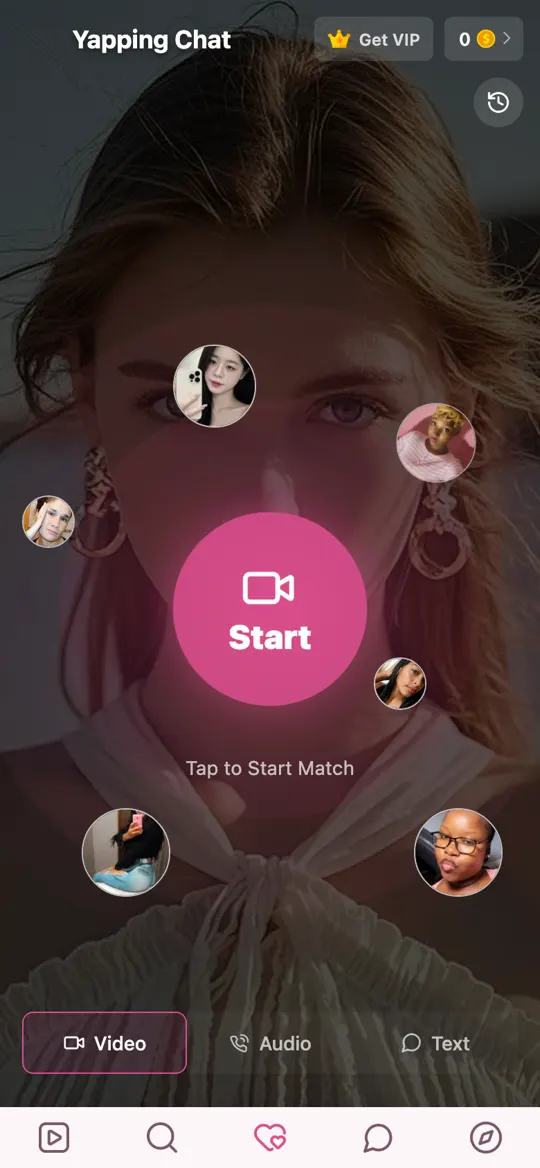
The match screen: Start, and the three modes
Tapping Start Video Chat anywhere on the site opens the match screen. Its parts, from the bottom up:
- Video, Audio and Text tabs. Video is the default. Audio matches you for a voice call with no camera, and Text for a typed chat. All three are one-on-one. (Curious how that differs from a 1v1? Here is what 1v1 means in chat.)
- The Start button. Tap it and you are matched with a girl who is available — the random way of talking to strangers, on video.
- The coin balance at the top right, and the history icon below it, which opens your past calls.
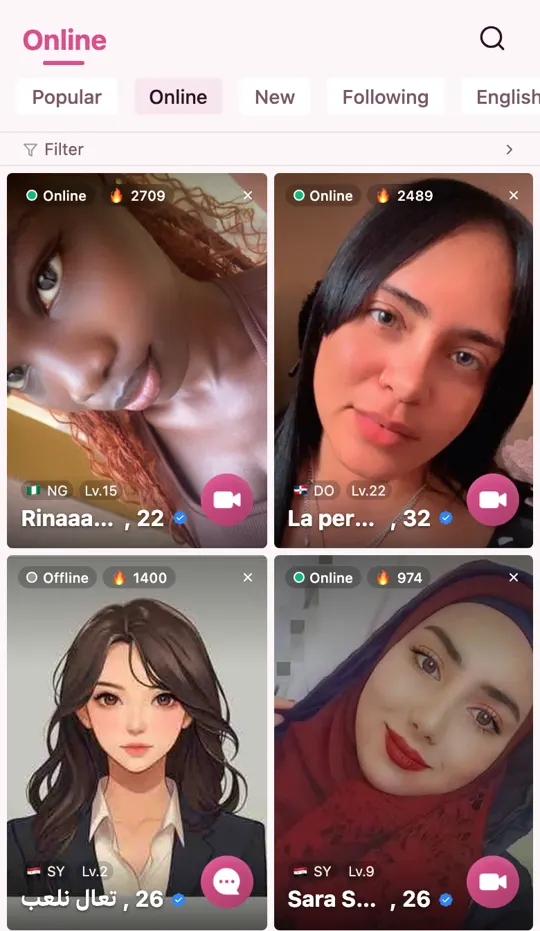
The girls online list: choosing who to call
If you would rather choose than be matched, open Girls online now. Tabs along the top sort the list (Popular, Online, New, Following, and by language), and Filter narrows it further. Each card shows a status:
- Online — free right now. The camera button on the card starts a video call.
- Chatting — already in a call. Try again a little later.
- Offline — not on the site. The card shows a message button instead, so you can write to her.
A matched chat and a chosen one are the same kind of call once they connect. The difference is only how you get there.
Your first Yapping video chat, once it connects
Your browser asks for the camera and microphone when the call starts — not when you open a page. Allow both, and you are face to face. A few things are worth knowing on the first call:
- There is a message box. Type when a word gets lost, and tap to translate any message she sends — useful when her first language is not yours.
- Next unlocks after a short countdown in a matched chat, so you can move on if the conversation is not going anywhere.
- If your coins are running low, a prompt to top up appears inside the call.
- You can leave at any moment, and so can she. Nobody is owed a reason.
If the first line will not come, borrow one: the conversation starters are questions that are easy to answer and do not ask anything personal.
Camera or microphone not working? Check these first
Almost every dark-camera problem on a first call is a permission. If you tapped Block by accident, Yapping Chat shows a short guide, but here is the quick version:
- iPhone or iPad (Safari): tap the aA button in the address bar, open Website Settings, and set Camera and Microphone to Allow. Then reload the page.
- Android (Chrome): tap the icon to the left of the address, open Permissions, and allow Camera and Microphone.
- Computer (Chrome, Edge, Safari, Firefox): click the icon to the left of the address, allow Camera and Microphone for the site, and reload.
- Opened from another app? Links opened inside social or messaging apps often run in a built-in browser that cannot use the camera. Open the page in Safari or Chrome instead.
- Still dark? Close other apps that might be using the camera, such as another video call, and try again.
Leaving, reporting and blocking
Ending a chat is one tap, from either side. If someone was rude or pushy, report them right in the call: a person reviews every report. A block takes effect right away and can be undone from your block list, and accounts removed for breaking the Community Guidelines cannot register again. Calls are not recorded by Yapping Chat. The Safety page has the details.